
Homeowners planning a refresh
Try a style on the room you are about to repaint or refurnish before spending on it.
AI room design · free interior redesign
Snap the room as it is today, choose a style, and see it furnished and finished in about 20 seconds. The walls, windows and floor plan stay exactly where they are, so you see your own room, not a stock render.
01Room photo
02Room & style
03Design brief389/1500
04Shape & model
No account required
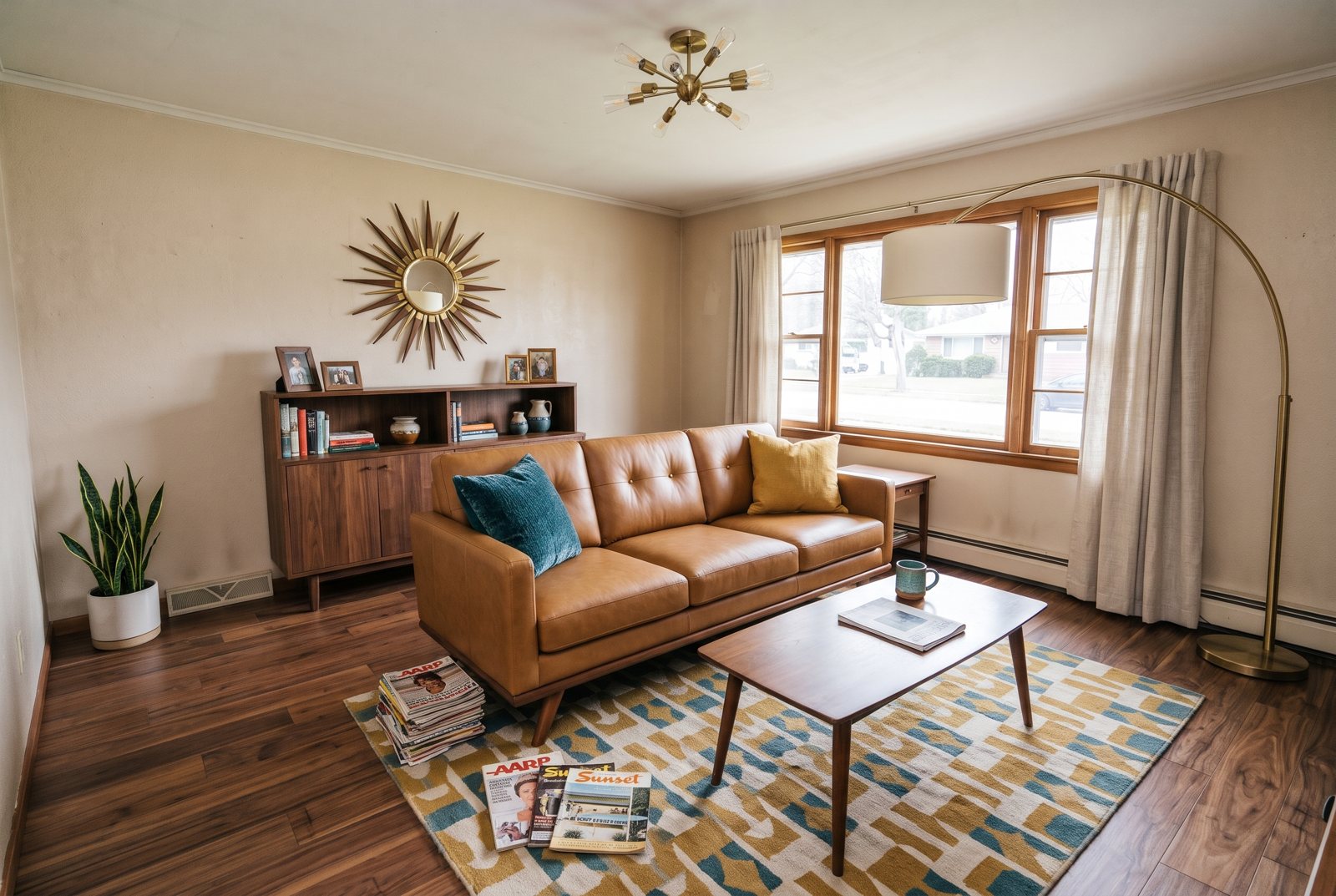
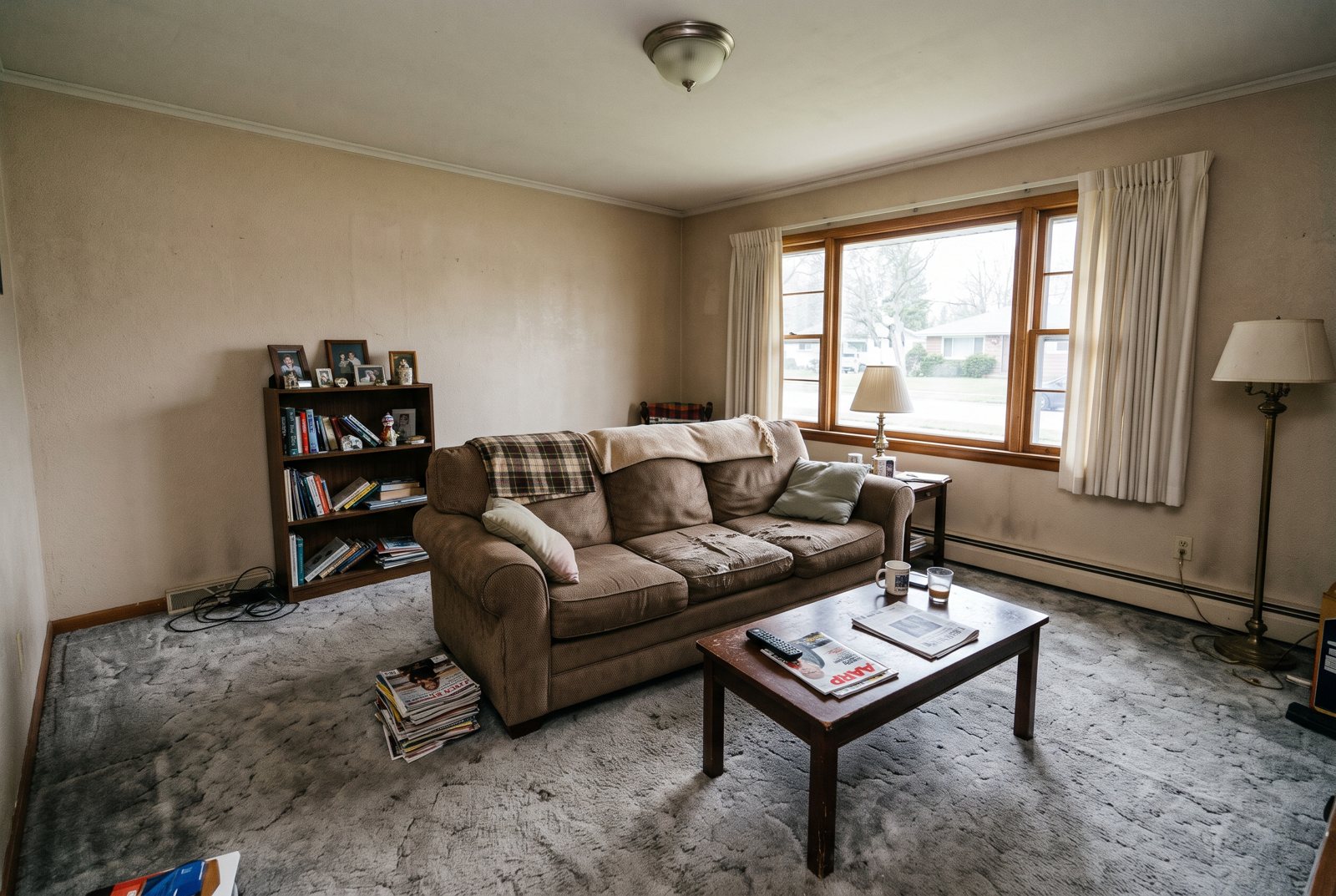
PromptRedesign this living room in a mid-century modern style: walnut wood, tapered legs, a tan leather sofa or chairs, a sunburst mirror, an arc floor lamp, mustard and teal accents. Keep the exact same room: walls, windows, doors, ceiling, floor plan and camera angle stay where they are. Replace the furniture, flooring, finishes, colors, lighting and decor. Photorealistic interior design photo, natural light.
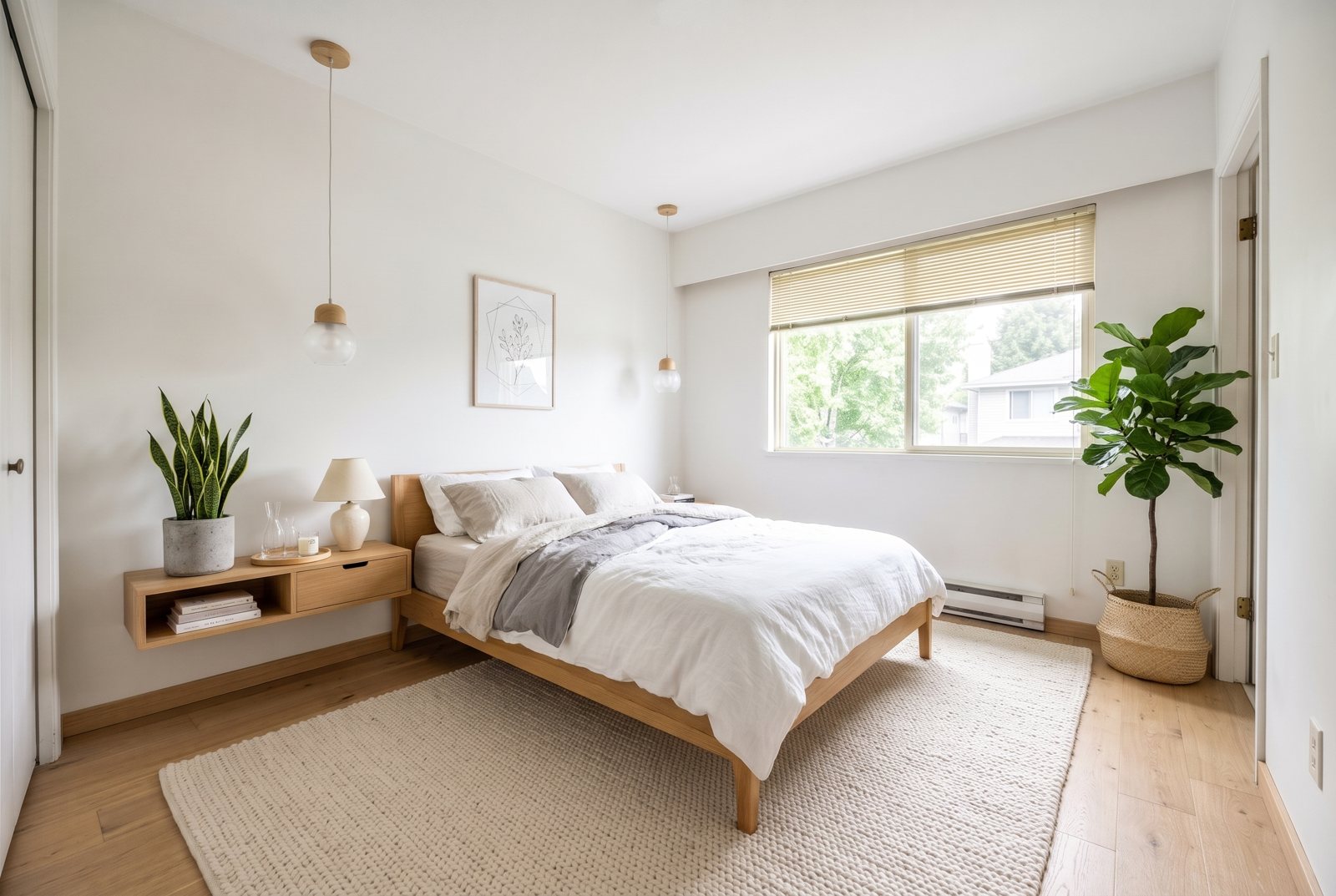
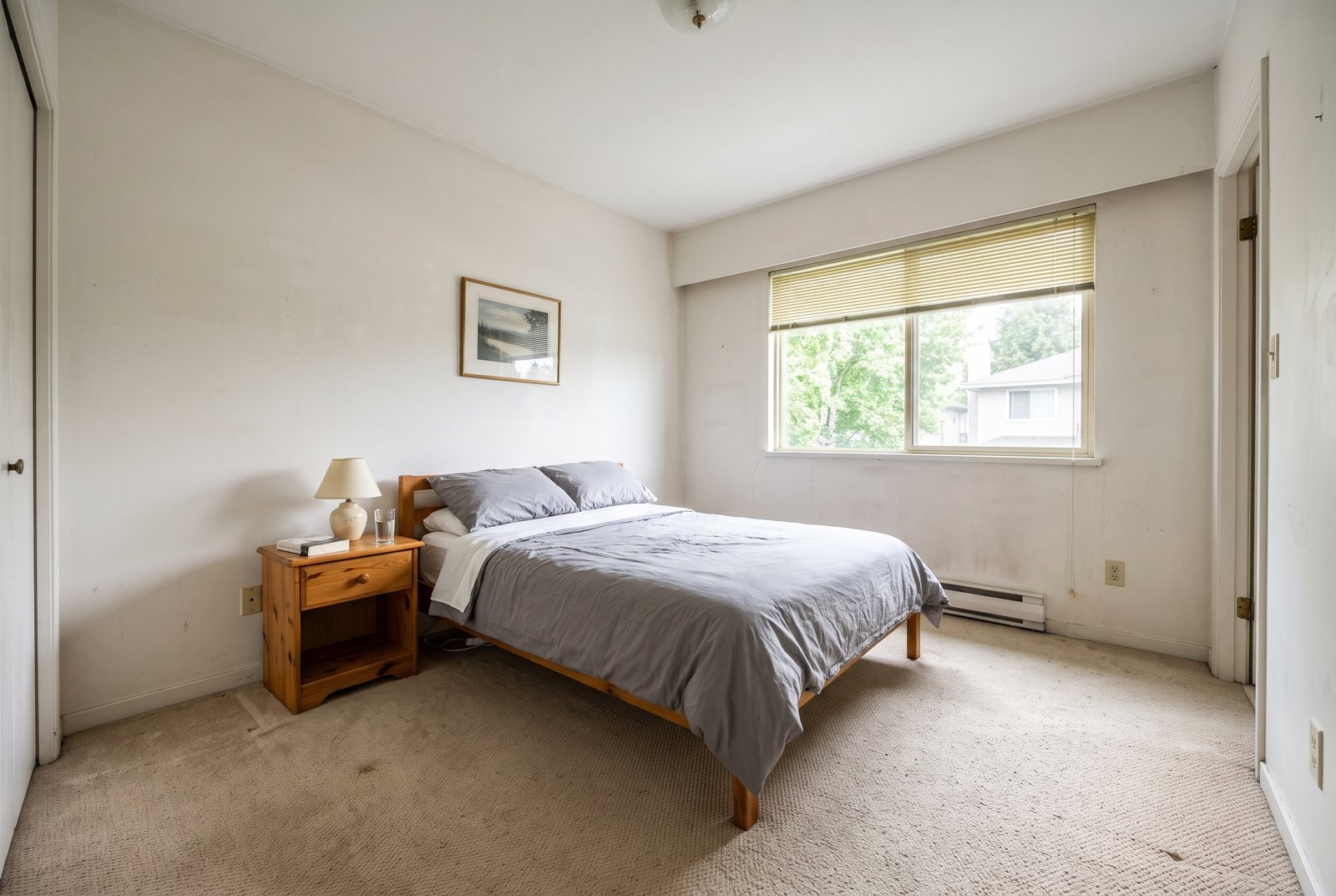
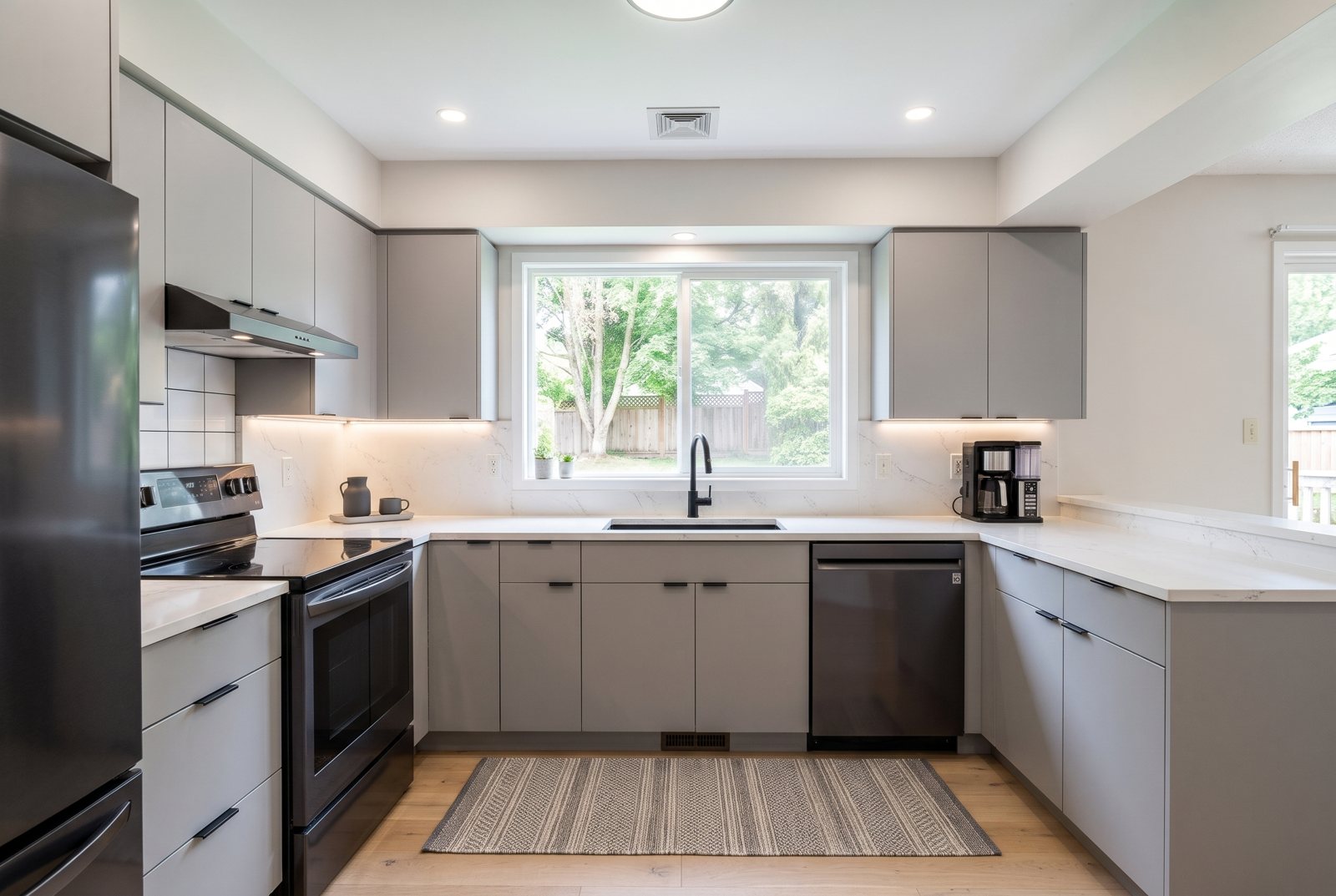
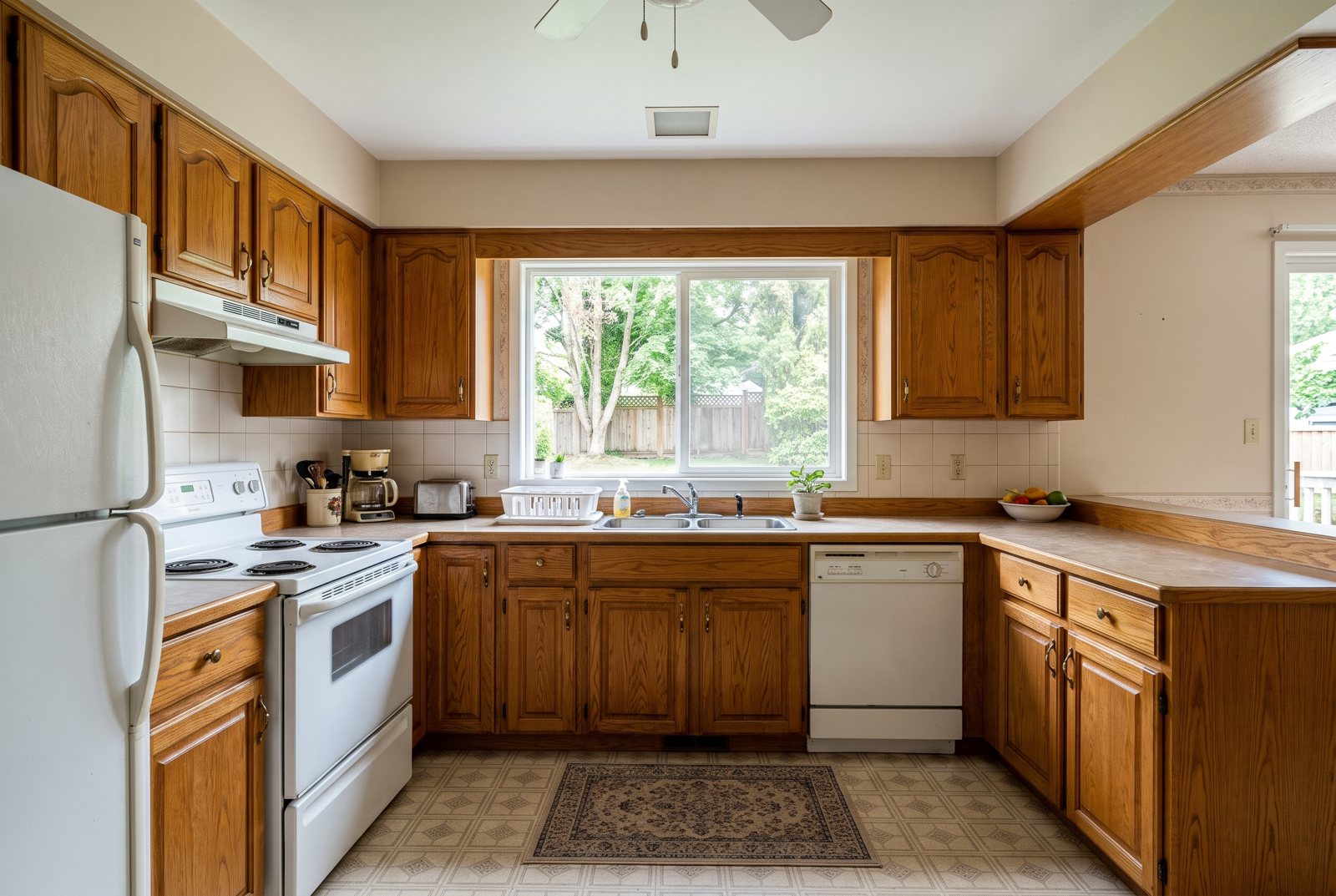
Each pair is a real run of the Standard model on the photo on the left, made with the presets listed under it. Hover to compare, or pick the same room in the studio above to see the full prompt.
Step 1
Stand in a corner at eye level and get as much of the room in frame as you can. Daylight works best. A phone photo is fine.
Step 2
Choose the room type, how much should change (a full redesign, keep your furniture, or furnish an empty room) and one of 12 interior styles. The design brief updates as you click, and you can add your own notes.
Step 3
In about 20 seconds you get the redesigned room. Drag the slider to compare with the original, try another style, then download the one you like.
It restyles the room in your photo instead of inventing a new one. The prompt tells the model to keep the walls, windows, doors, ceiling and camera angle fixed and to change the furniture, flooring, finishes, colors, lighting and decor (or, if you choose, everything except your existing furniture). That is what makes the result useful: you can see how a Japandi bedroom or a modern kitchen would look in your actual space.
Under the hood it runs the same image to image models as the image to image AI tool: Google's Nano Banana 2 on Standard and HD, and OpenAI's GPT Image on Pro. Standard is free once a day without an account.
Wide, level shots of living rooms, bedrooms, kitchens, dining rooms, bathrooms, home offices and patios. Empty rooms and cluttered rooms both work.
A faster way to decide before you paint, buy or call a contractor.
01
The layout, windows and light in your photo carry through, so the redesign fits the space you actually have.
02
From Scandinavian and Japandi to industrial, coastal and luxury. Switch styles on the same photo and compare in seconds.
03
Go for a full redesign, keep the sofa and bed you already own and change everything around them, or furnish an empty room from scratch.
04
One Standard redesign a day without an account, two after you sign in. Credits unlock 4K HD and watermark-free downloads.
Try a style on the room you are about to repaint or refurnish before spending on it.
See how far new furniture and textiles can take a room you cannot renovate.
Show buyers or guests what a dated or empty room could look like. Label AI-styled images as such in listings.
Turn a site photo into two or three quick concepts to discuss with a client.
A corner view shows two or three walls and gives the model a clear sense of depth.
Even light helps the model read materials and keeps the result from looking gloomy.
Add 'keep the fireplace' or 'keep the wood floor' to the brief if something should not change.
Each run is a fresh design. If the first one is close, run the same style again for a second option.
If you're happy with the result, it's ready to save. If you also want to upscale, extend the edges, or refine other details, you can continue with:



06Pricing
One currency for everything: credits. Without an account you get one free Standard image a day; sign in for 10 free credits a day (two Standard images). Free results are JPGs up to 2048 px with a small watermark. Credit runs export at full size with no watermark. Packs never expire, and Pro adds 400 credits every month.
No subscription: buy a credit pack and each run spends credits at the listed rate. Checkout creates your account from your payment email.
400 credits a month for every model and tool: Standard, Pro and HD 4K image to image, restyles, extend and erase. No watermark, full size.
Pro credits roll over up to 1,200 while your subscription is active. Credit packs never expire and stack with Pro. Cancel anytime. Unused Pro credits clear at the end of your paid period; purchased packs stay.